Extract Color Data from Dictionary of Masks for Naive Bayes
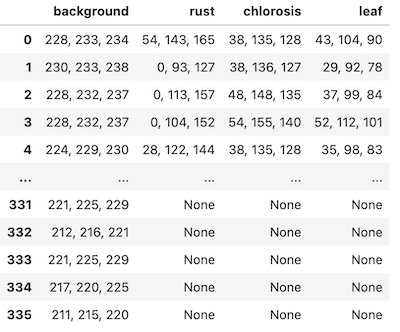
This function is to extract color information from a dictionary of masks in order to get data for naive bayes functions. Collect pixel training data in Napari, rather than ImageJ for example.
plantcv.annotate.napari_naive_bayes_colors(img, maskdict, filename)
returns data frame
-
Parameters:
- img - RGB image to extract color information from
- maskdict - dictionary of masks, output of
napari_points_maskfor example - filename - filename to save data, formatted to work with Naive Bayes segmentation
-
Context:
- This function is used to extract color information from an RGB image and a mask and convert data to be compatible with Naive Bayes training functions.
-
Example use:
- used in Napari Naive Bayes
import plantcv.plantcv as pcv
import plantcv.annotate as pcvan
from plantcv import learn
import napari

# Create an instance of the Points class
img, path, name = pcv.readimage("./wheat.png")

# Should open interactive napari viewer
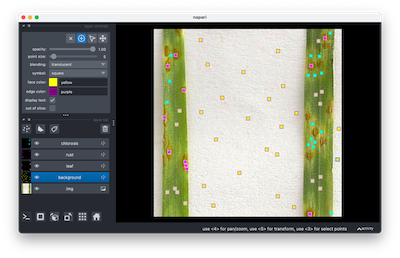
viewer = pcvan.napari_label_classes(img=img, classes=['background','healthy', 'rust', 'chlorosis'], size=4)

maskdict = pcvan.napari_points_mask(img, viewer)

nbdata = pcvan.napari_naive_bayes_colors(img=img, maskdict=maskdict, filename="./nbdata.txt")

learn.naive_bayes_multiclass(samples_file="./nbdata.txt", outfile="naive_bayes_test_pdfs.txt")

masks = pcv.naive_bayes_classifier(rgb_img=img,
                                   pdf_file="./naive_bayes_test_pdfs.txt")
Output Data
Source Code: Here