Open Image with Napari
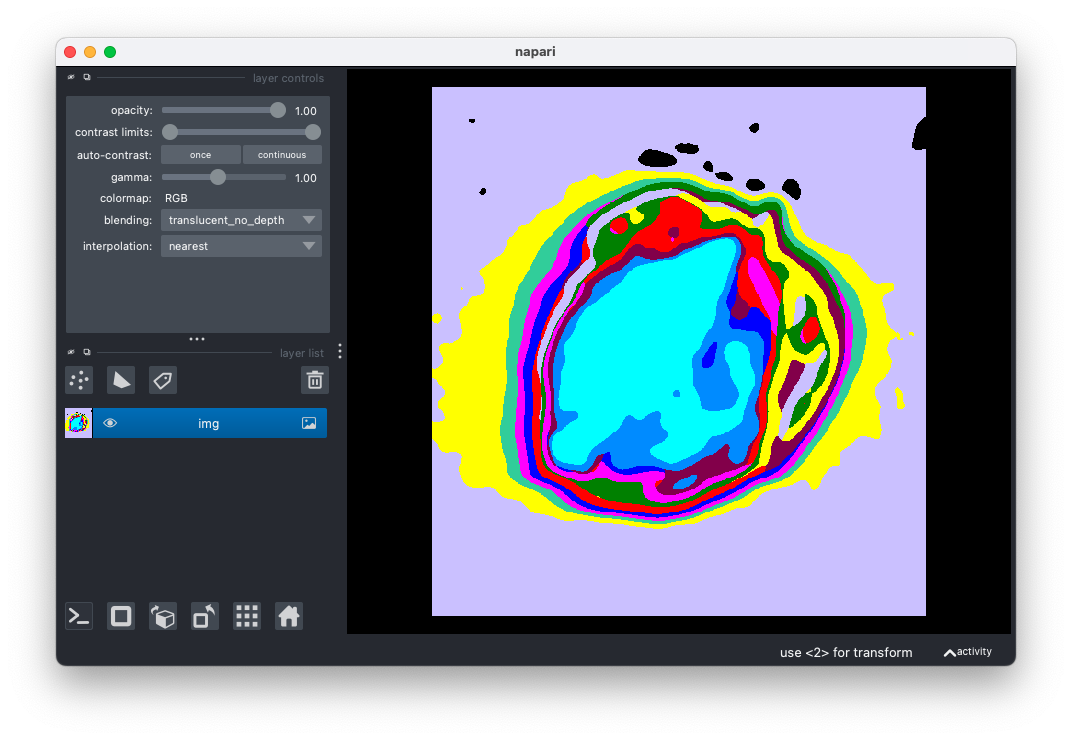
Open image data (e.g. RGB, gray, hyperspectral) with an interactive Napari viewer. Labeled masks may be colorized for better visualization.
plantcv.annotate.napari_open(img, mode='native', show=True)
returns napari viewer object
-
Parameters:
- img - image data (compatible with gray, RGB, and hyperspectral data. If data is hyperspecral it should be the array e.g.
hyperspectral.array_data) - mode - 'native' or 'colorize'. If 'colorized' is selected gray images will be colorized.
- show - if show = True, viewer is launched. False setting is useful for test purposes.
- img - image data (compatible with gray, RGB, and hyperspectral data. If data is hyperspecral it should be the array e.g.
-
Context:
- Used to open image data with Napari.
-
Example use:
- Open image data to annotate it with other Napari functions (e.g. napari_label_classes)
import plantcv.plantcv as pcv
import plantcv.annotate as pcvan

# Create an instance of the Points class
img, path, name = pcv.readimage("./grayimg.png")

viewer = pcvan.napari_open(img=img, mode='colorize')

# Should open interactive napari viewer
Source Code: Here