Make Mask of Napari Points
This function is to generate a mask from Napari point information. This application of this function could be to get information about image at particular points (e.g. color or intensity information)
plantcv.annotate.napari_points_mask(img, viewer)
returns dictionary of masks (one for each class where the class label is the key to access)
-
Parameters:
- img - image data (compatible with gray, RGB, and hyperspectral data. If data is hyperspecral it should be the array e.g. hyperspectral.array_data)
- viewer = Napari Viewer with point classes labeled (likely created with
napari_label_classes). The size of the points in the mask will be determined from the viewer parameters.
-
Context:
- This function can be used to generate a mask from Napari points in order to get information about point data.
-
Example use:
- An application of this function might be collection of color data for the Naive Bayes module.
import plantcv.plantcv as pcv
import plantcv.annotate as pcvan
import napari

# Create an instance of the Points class
img, path, name = pcv.readimage("./wheat.png")

# Should open interactive napari viewer
viewer = pcvan.napari_label_classes(img=img, classes=['background','healthy', 'rust', 'chlorosis'], size=4)

maskdict = pcvan.napari_points_mask(img, viewer)

pcv.plot_image(maskdict['background'])
pcv.plot_image(maskdict['healthy'])
pcv.plot_image(maskdict['rust'])
pcv.plot_image(maskdict['chlorosis'])
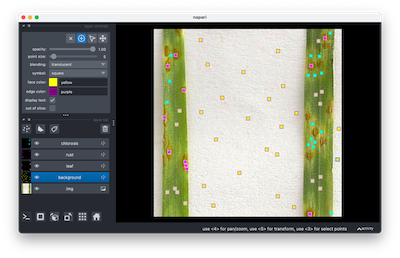
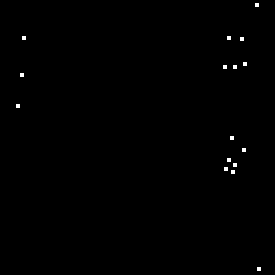
Background Mask
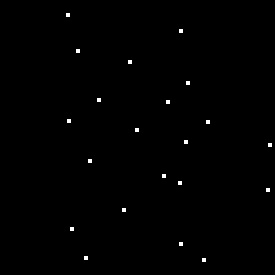
Healthy Mask
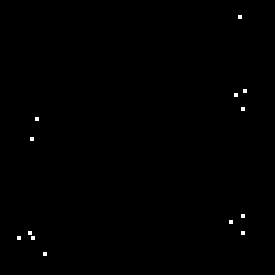
Rust Mask
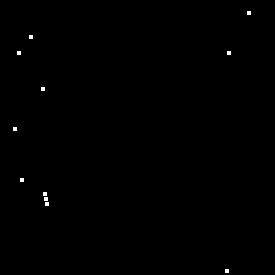
Chlorosis Mask
Source Code: Here