Convert Shapes between geojson and lists
Using a Napari viewer with drawn polygons, output a shapefile. Or read in a Polygon- or MultiPolygon-type geojson shapefile and output a list of polygon vertex coordinates in numpy space.
plantcv.geospatial.convert.shapes(img, source, dest=None, shapetype="polygon", layername="Shapes")
-
Parameters:
- img - GEO image object, likely read in with
geo.read_geotif. Ifsourceis the path to a shapefile, the metadata of this image will be used to convert vertex points to numpy coordinates. - source - str or Napari.viewer. If this is an str then it should be a path to a geojson file to read shapes from. A Napari viewer should have a polygon like layer that will be saved to a geojson specified by
dest. - dest - str, Path to save a geojson file if
sourceis a Napari.viewer. This is not required ifsourceis a geojson file path. - shapetype - str, Geometry type from Napari viewer shape layer to be written to geojson output. Only used if
sourceis a viewer. - layername - str, Name of the shapes layer in the napari viewer. Only used if
sourceis a viewer.
- img - GEO image object, likely read in with
-
Context:
- Convert shapes to/from coordinates and geojson files.
- Useful for saving custom plot boundaries to be reused.
- Example use:
- below to outline plot locations
import plantcv.geospatial as gcv

# Read geotif in
img = gcv.read.geotif("../read_geotif/rgb.tif", bands="R,G,B")
editor = gcv.create_shapes.InteractiveShapes(img)
editor.add_layer()


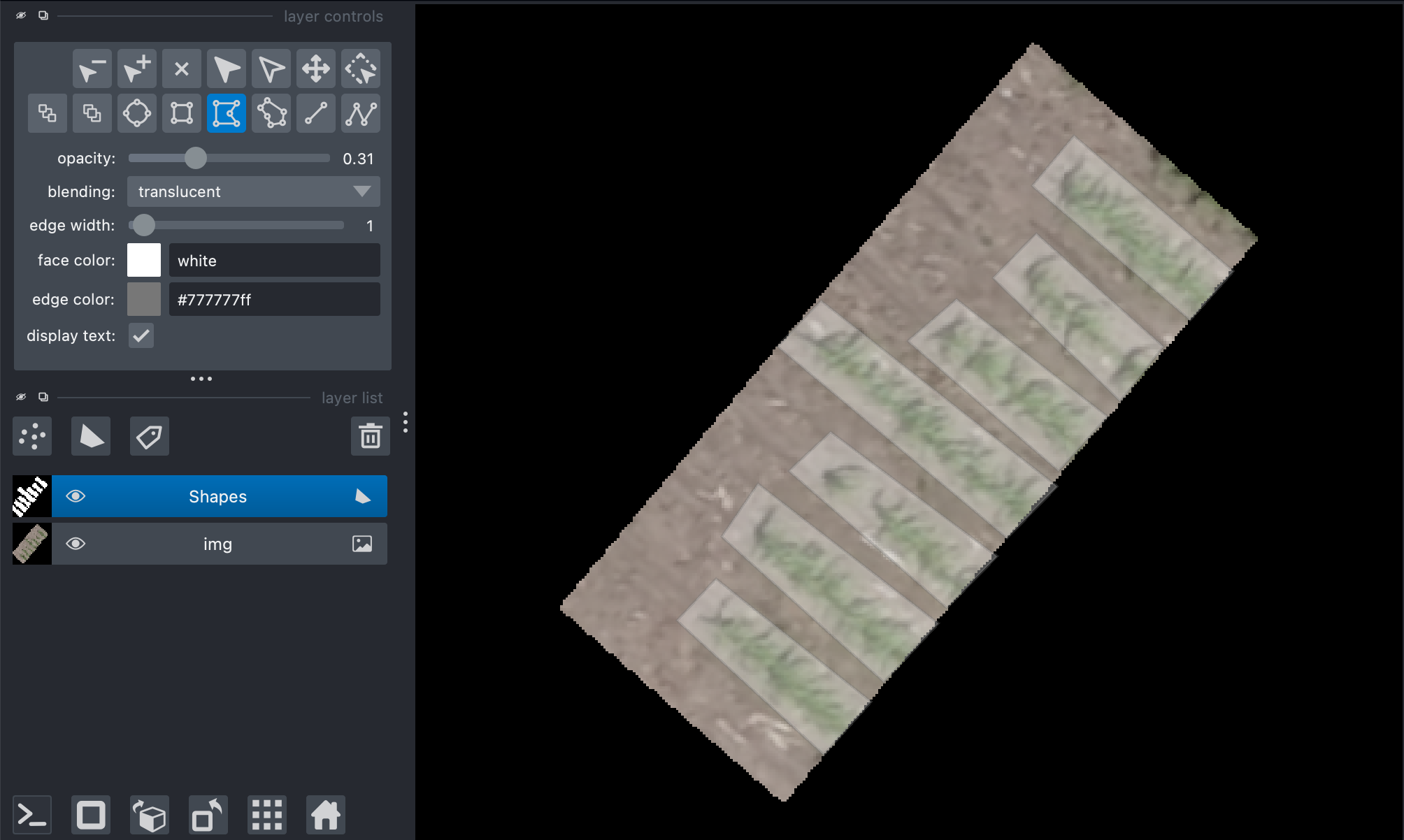
# A napari viewer window will pop up, use the shapes function to add custom polygons
# In a separate cell, save the output after clicking:
gcv.convert.shapes(img=img, source=editor, dest="./shapes_example.geojson")
Source Code: Here