Create ROIs from points or polygon shapefiles
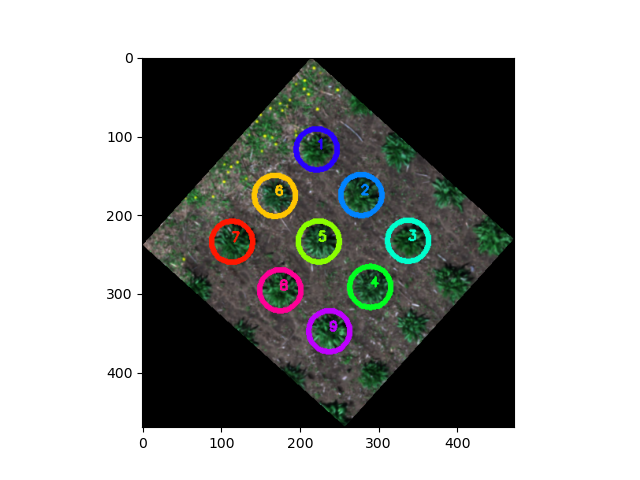
Transform features from shapefile/GeoJSON to Regions of Interest (ROIs). If shapefile contains points, this function saves a shapefile/GeoJSON of the created circular ROIs wiht _circles suffix.
plantcv.geospatial.convert.to_roi(img, geojson, radius=None)
returns list of ROIs (plantcv.Objects instance)
-
Parameters:
- img - GEO image object, likely read in with
gcv.read_geotif. - geojson - Path to the shapefile/GeoJSON containing the points or polygons.
- radius - Optional radius of circular ROIs to get created, in units matching the coordinate system of the image. If this is provided then the geojson is assumed to contain points.
- img - GEO image object, likely read in with
-
Context:
- Directly create ROIs with a consistent georeferenced radius and write geojson of ROIs.
- Example use:
- below
import plantcv.geospatial as gcv
import plantcv.plantcv as pcv

# Read geotif in
img = gcv.read.geotif(filename="./data/example_img.tif", bands="b,g,r,RE,NIR")

# Make ROIs from a points-type shapefile
rois = gcv.convert.points_to_roi_circle(img, geojson="./points_example.geojson",
                                        radius=1)

# "./points_example_circles.geojson" file can be used for gcv.analyze functions
res = gcv.analyze.height_percentile(img, geojson="./points_example_circles.geojson")

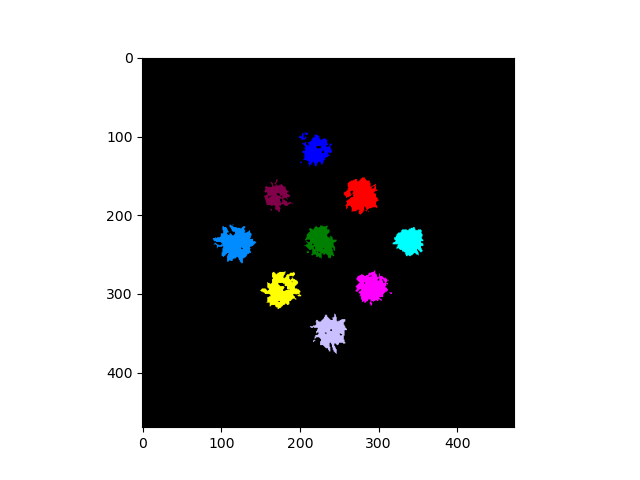
# ROIs can be used in main PlantCV
# Segment plants to get a binary mask
labeled_mask, num_plants = pcv.create_labels(mask=binary_mask,
                                             rois=rois, roi_type="partial")
Source Code: Here