Resize a geospatial image
Resize a GEO, or DSM object to a desired pixel size. Wraps plantcv.plantcv.transform.resize and updates the affine transform on GEO and DSM objects to preserve geospatial coordinates after resizing.
plantcv.geospatial.resize(img, size, interpolation="auto")
returns Resized image of the same class as the input
-
Parameters:
- img -
Image,GEO, orDSMobject, typically read in withgcv.read_geotif - size - Output image size in pixels as a tuple
(width, height) - interpolation - Interpolation method (default:
"auto"):"auto"= automatically select"bicubic"when enlarging,"area"when reducing"area"= resampling using pixel area relation (recommended for shrinking)"bicubic"= bicubic interpolation over a 4×4 pixel neighborhood"bilinear"= bilinear interpolation"lanczos"= Lanczos interpolation over an 8×8 pixel neighborhood"nearest"= nearest-neighbor interpolation (recommended for masks)None= no interpolation; crop or zero-pad to reach the target size
- img -
-
Context:
- When resizing a
GEOorDSMobject, the affine transform is scaled so that geospatial coordinates remain valid at the new resolution. The top-left corner of the image is preserved; only the pixel size components of the transform are updated.
- When resizing a
-
Note:
- The default interpolation "auto" works well for color GEO images. However, we recommend using "nearest" for DSMs.
import plantcv.geospatial as gcv

# Read a multispectral geotif
ortho = gcv.read.geotif(filename="./data/example_img.tif", bands="b,g,r,RE,NIR")

# Resize to 2000 x 2000 pixels using the default auto interpolation
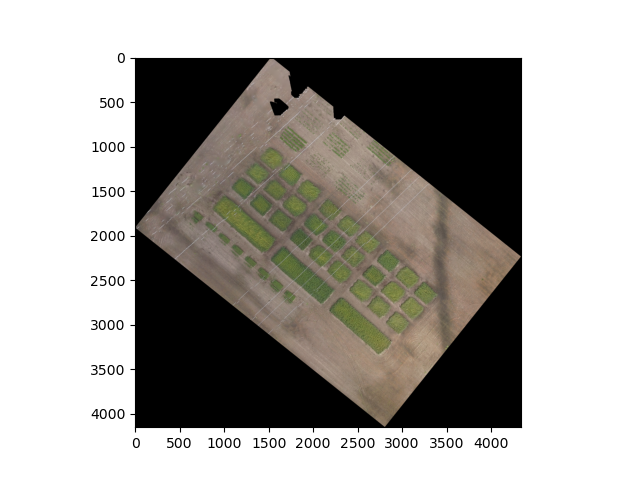
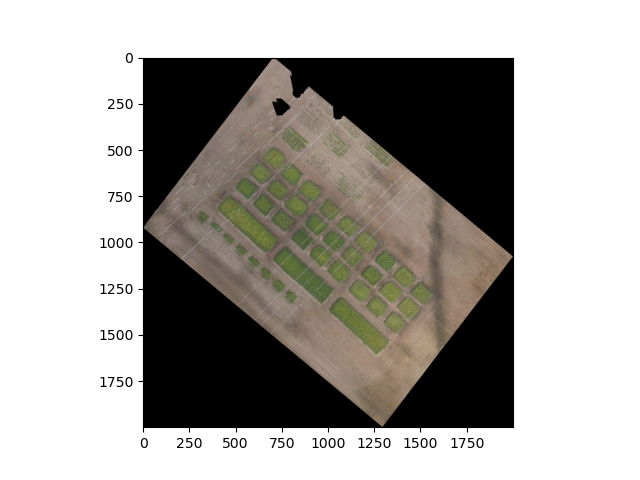
resized = gcv.resize(img=ortho, size=(2000, 2000))

# Read a DSM
dsm = gcv.read.geotif(filename="./data/example_dsm.tif", bands="gray")

# Resize to 2000 x 2000 pixels using nearest-neighbor interpolation
resized = gcv.resize(img=dsm, size=(2000, 2000), interpolation="nearest")
Before
After
Source Code: Here